Built for anyone who puts weather on a screen.
From a solo storm chaser with a phone to a station running three machines, AtmoDeck gives you a finished, brandable weather graphics package, a radar studio, and the automation to run it.
Every broadcast feature is included in Solo, Standard and Pro. Plans differ only by how many machines you run.
Chase on camera. Let the graphics run themselves.
The problem. You are driving, streaming and watching the sky at the same time. You need radar, warnings and info on screen without a second operator.
How AtmoDeck helps
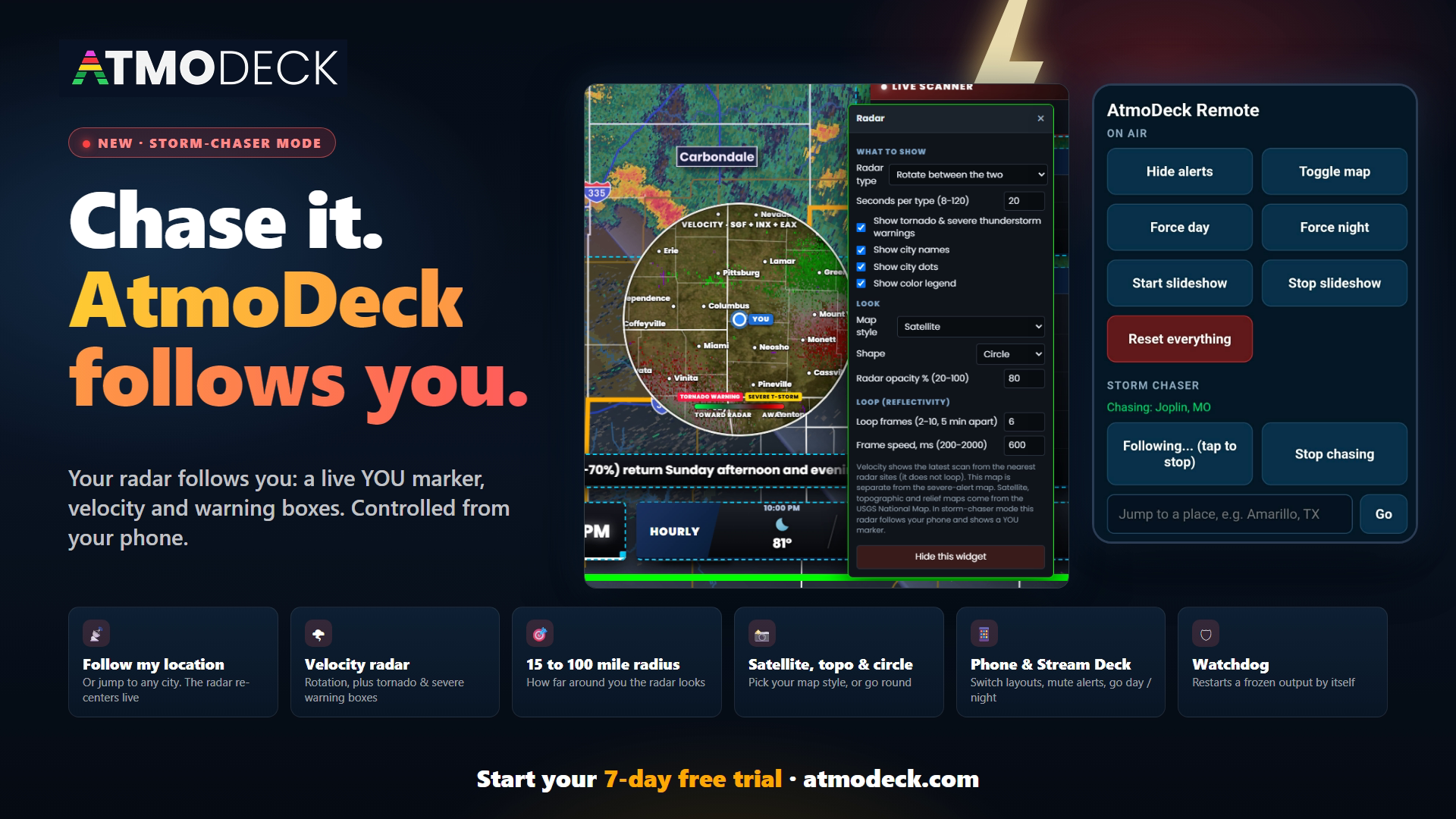
- Storm-chaser mode: tap Follow my location on your phone and the radar follows you, with a YOU marker and the tornado and severe thunderstorm warnings around you
- Live NEXRAD from the radar nearest you, velocity to spot rotation, rotation markers, satellite and 3D, in the built-in Map Studio
- A phone and Stream Deck remote to change layouts, hide alerts or flip day and night from the road. It works over a phone hotspot
- Vertical 9:16 output for TikTok, Shorts and Reels
- Twitch chat requests (!weather Springfield, MO) and OBS scene switching when an alert theme starts
- 3D radar with wind streaks drawn from the radar’s own velocity, rising in the updrafts and sinking in the downdrafts
- The Webcams page: DOT and 511 traffic cameras, park and river cameras and Creative Commons live streams on one map, with a watchdog that restarts a frozen output on long streams
Good starting point: the Storm Chaser starter layout.
A professional look for the forecast you already give every day.
The problem. You go live on Facebook or YouTube to tell your town what is coming, but the graphics are slides you rebuild by hand every day.
How AtmoDeck helps
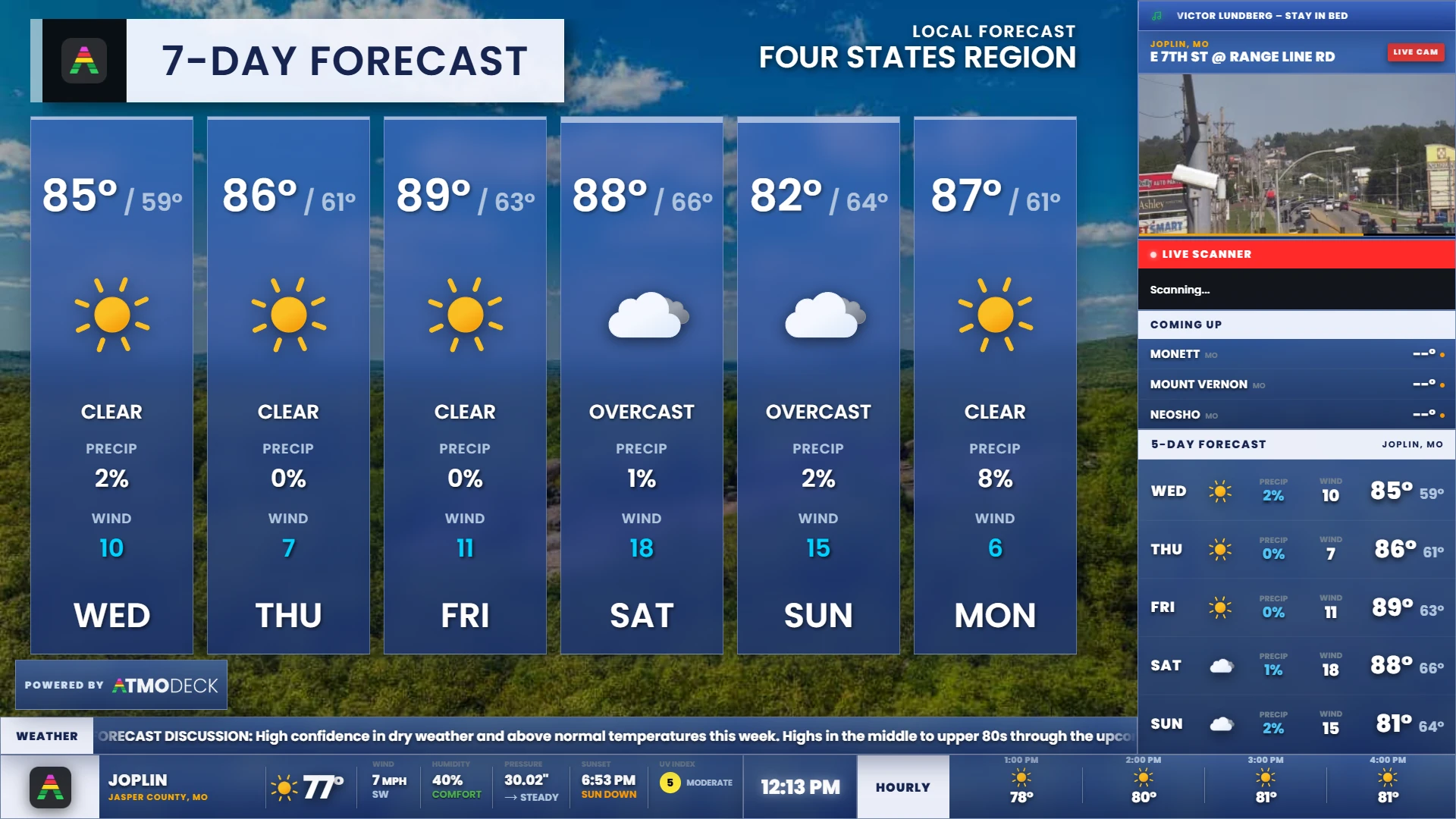
- A finished bottom bar, hourly and 5-day forecast, and a rotating list of nearby towns, all filled in automatically
- A lower third for the headline of the day, with a label and a subtitle, that breaking news covers when something happens
- A radar map with your own header and colors, and storm tracks that list when each town in the way will be reached
- A slideshow that builds daily forecast slides on a schedule, and a clip export that makes an MP4 to post
- Your own slides in the Slide Builder, from a template or a blank page, and pictures of today’s weather from the Graphics page, ready to post or scheduled
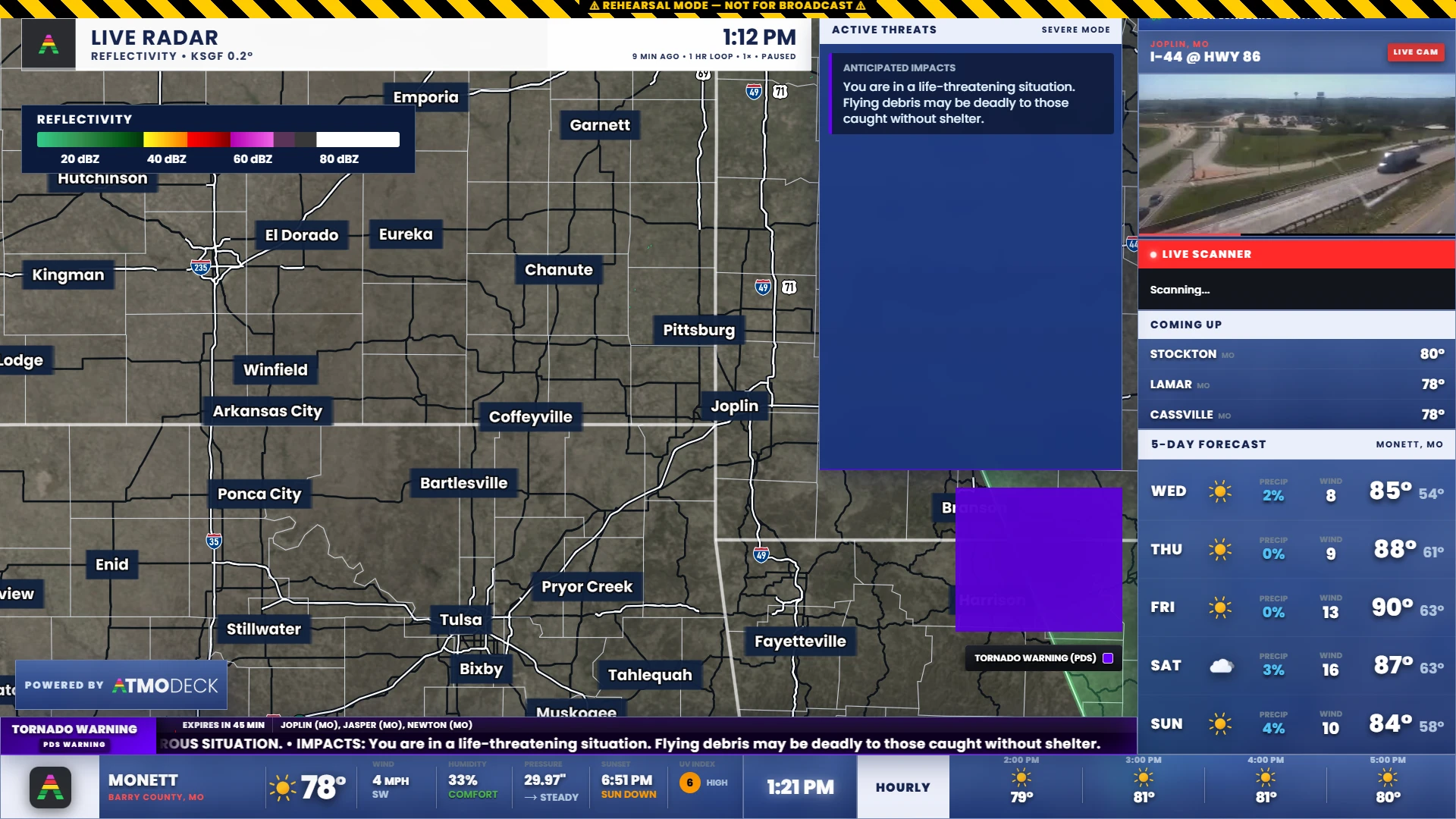
- Severe alerts filtered to your counties, with a threat panel that appears on its own
- Sponsor logos and text cards on air, with a report of how long each sponsor was on screen (CSV or PDF)
- Type a city or ZIP into the setup wizard and it finds your counties and towns
Good starting point: the Daily Forecast or Sponsor Friendly starter layout.
A big-market look on the computers you already own.
The problem. You need weather graphics that look broadcast-quality and stay reliable, without an enterprise contract or dedicated hardware.
How AtmoDeck helps
- A transparent 1920x1080 output you capture in OBS, vMix or a capture card, with your own logos, colors, fonts and radar header
- A lower third that follows your layout style, and weather icons of your own for the bottom bar, the slideshow and the map
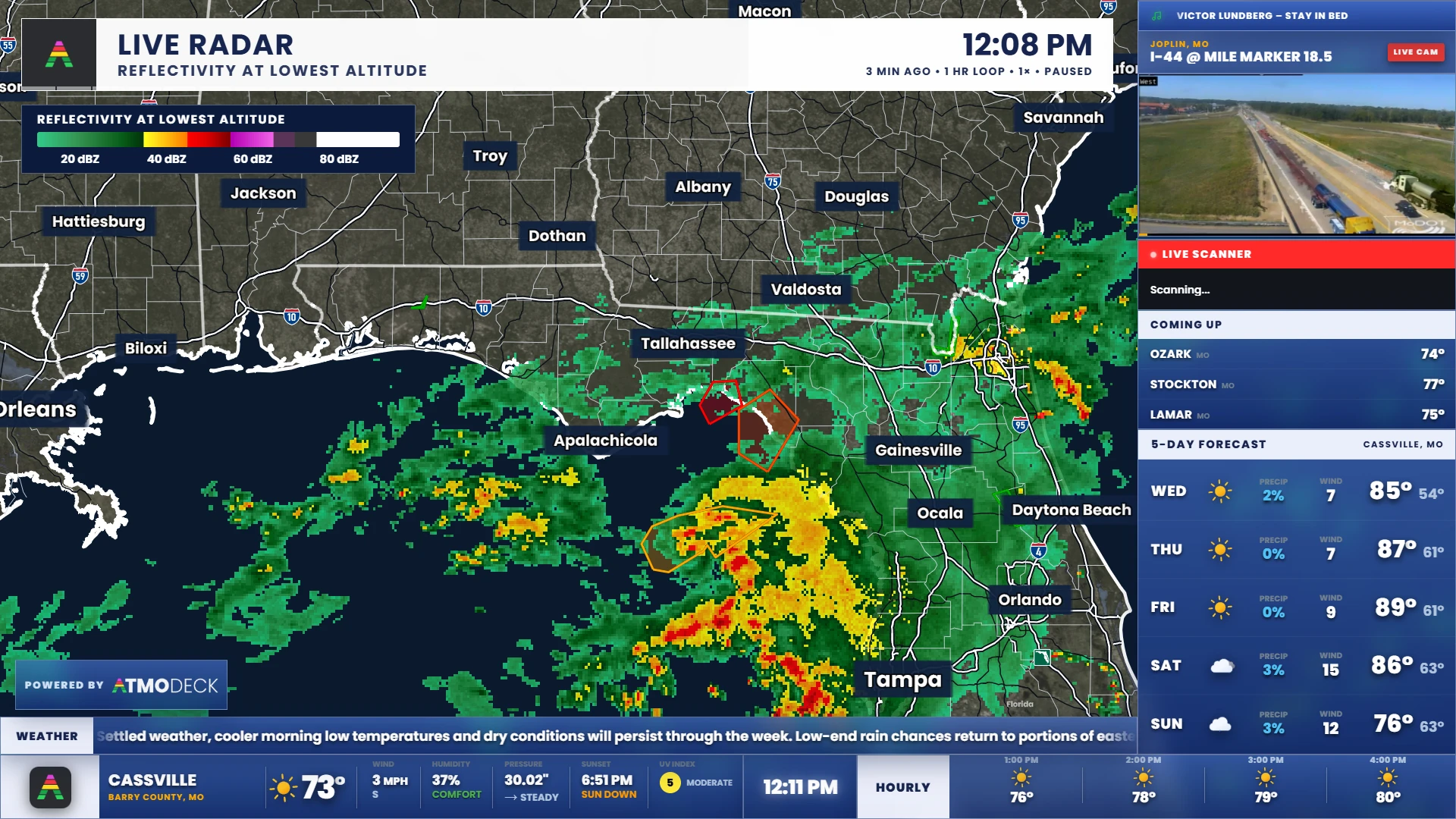
- Live radar, satellite, hurricane and outlook maps with telestration tools for the presenter
- Optional push alerts from the National Weather Service (NWWS-OI), and rehearsal simulators
- Saved layouts you switch by button or keyboard shortcut, and automatic layout switching when the alert theme changes
- Run the output, the console and a backup machine on one Standard plan, or more on Pro
- A watchdog that restarts a frozen output, and sponsor rotation with proof-of-airtime reports
Good starting point: the Severe Weather starter layout, then brand it with your logo and colors. AtmoDeck shows National Weather Service data. It is not an Emergency Alert System replacement.
Give your guests and your audience the same live picture.
The problem. You run livestreams from more than one vehicle and want them to look consistent, without setting up a custom overlay for each one.
How AtmoDeck helps
- One set of saved layouts, exported as a file and imported on each machine
- Chase mode and the phone remote on every vehicle, over each vehicle's own hotspot
- Sponsor logos and text cards for your partners and tour sponsors
- Multiple activations under one plan, so each vehicle laptop can run it
- A vertical layout for clips guests want to post
Good starting point: the Storm Chaser starter layout, exported once and imported on each laptop.
A real broadcast look for a meteorology club or student station.
The problem. Your students want to run a real weather broadcast, but professional graphics are out of reach and complicated to learn.
How AtmoDeck helps
- A setup wizard that takes a city or ZIP to a working broadcast in minutes, and a drag-and-drop layout editor students can learn quickly
- Real National Weather Service and NOAA data: live radar, satellite, watches and storm reports to work with, and drawing tools for teaching
- Earth & Quakes and Space Weather pages for earth-science and astronomy lessons: quakes at their depths over the sinking plates, the Sun, the aurora and the solar system
- Rehearsal mode, so students can practice a severe weather segment without real alerts
- A 7-day free trial, and every broadcast feature is included in Solo, Standard and Pro
- A hallway or lobby screen using kiosk mode
Good starting point: the Minimal or Daily Forecast starter layout.
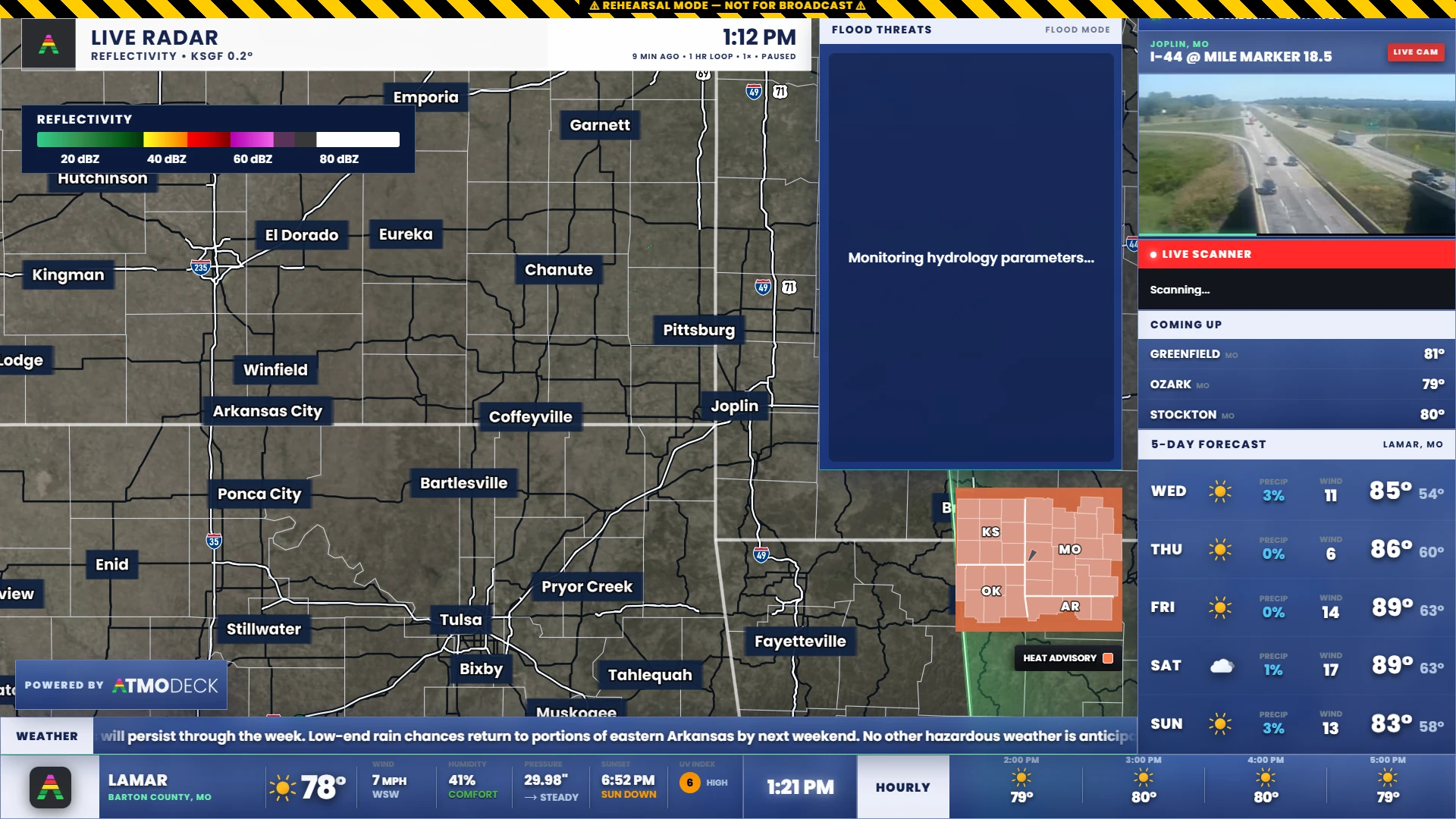
A weather screen that runs by itself in the lobby, marina or barn.
The problem. You want a weather display that runs all day without someone operating it, and that shows what matters to your place.
How AtmoDeck helps
- Kiosk mode opens only the output, fullscreen, and can start with Windows and start the slideshow on its own
- The watchdog restarts a frozen screen by itself and refreshes stale data
- A live radar map, text cards, a closings list and countdowns for announcements and events
- Marine and tides for marinas, and river and lake gauges, drought monitor and air quality for farms and communities
- Fahrenheit or Celsius, and an English or Spanish display
- A phone remote to change what the screen shows without walking to it
Good starting point: the Weather Station or Minimal starter layout, then turn on kiosk mode.
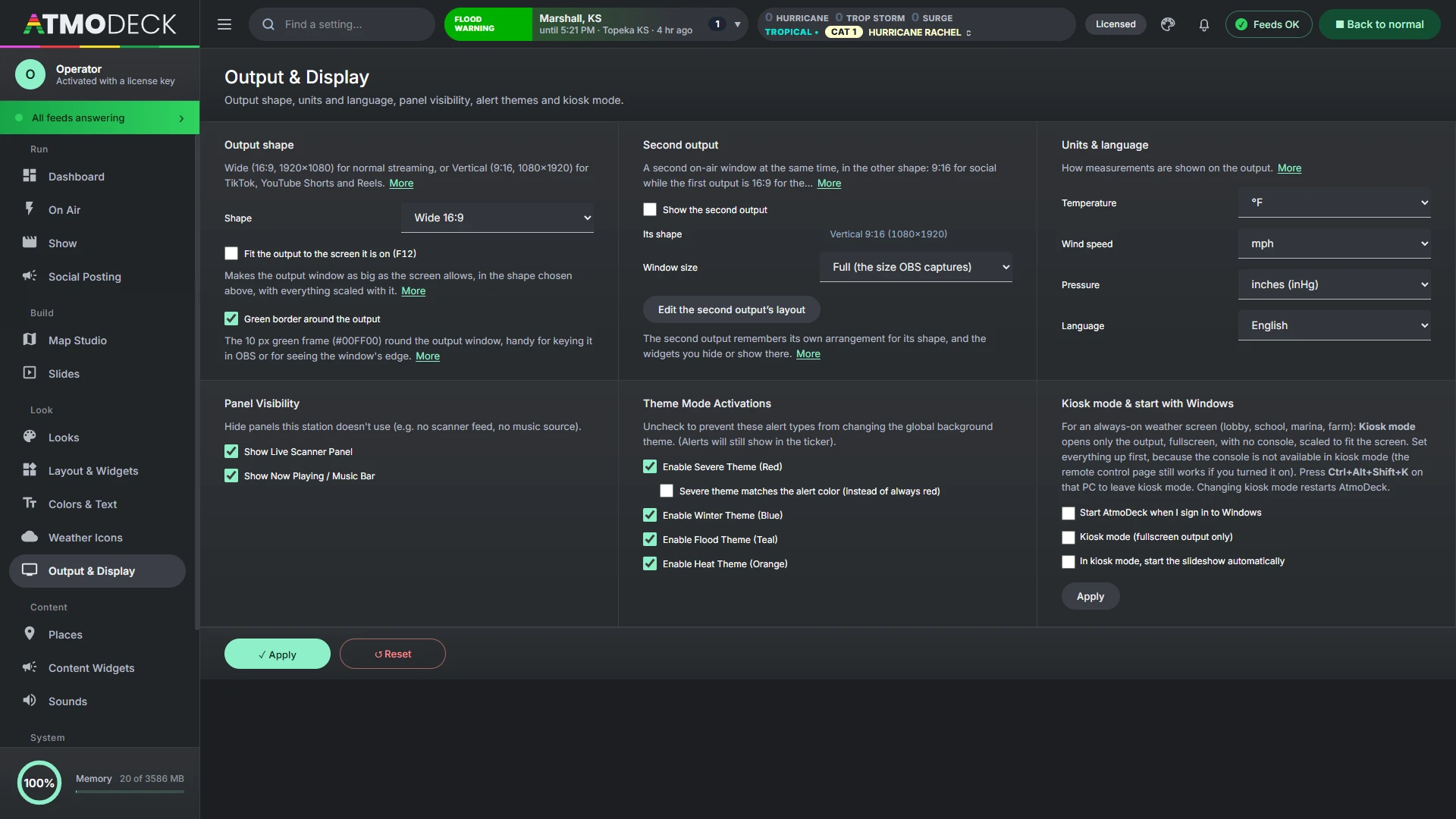
Put trusted weather information on a screen for your community.
The problem. Your group wants a shared weather picture on a screen or stream for meetings, events or a local audience.
How AtmoDeck helps
- Watches, warnings, local storm reports and the severe outlook for your counties on one screen
- A radar map and satellite loop everyone in the room can read
- Rivers, lake levels, earthquakes, wildfires and space weather widgets you can turn on when they matter
- A phone remote so anyone running the screen can change it
- Text cards for meeting times, closings and announcements
Good starting point: the Severe Weather starter layout. AtmoDeck displays National Weather Service information. It is not an official warning system, so keep using your official channels for safety decisions.
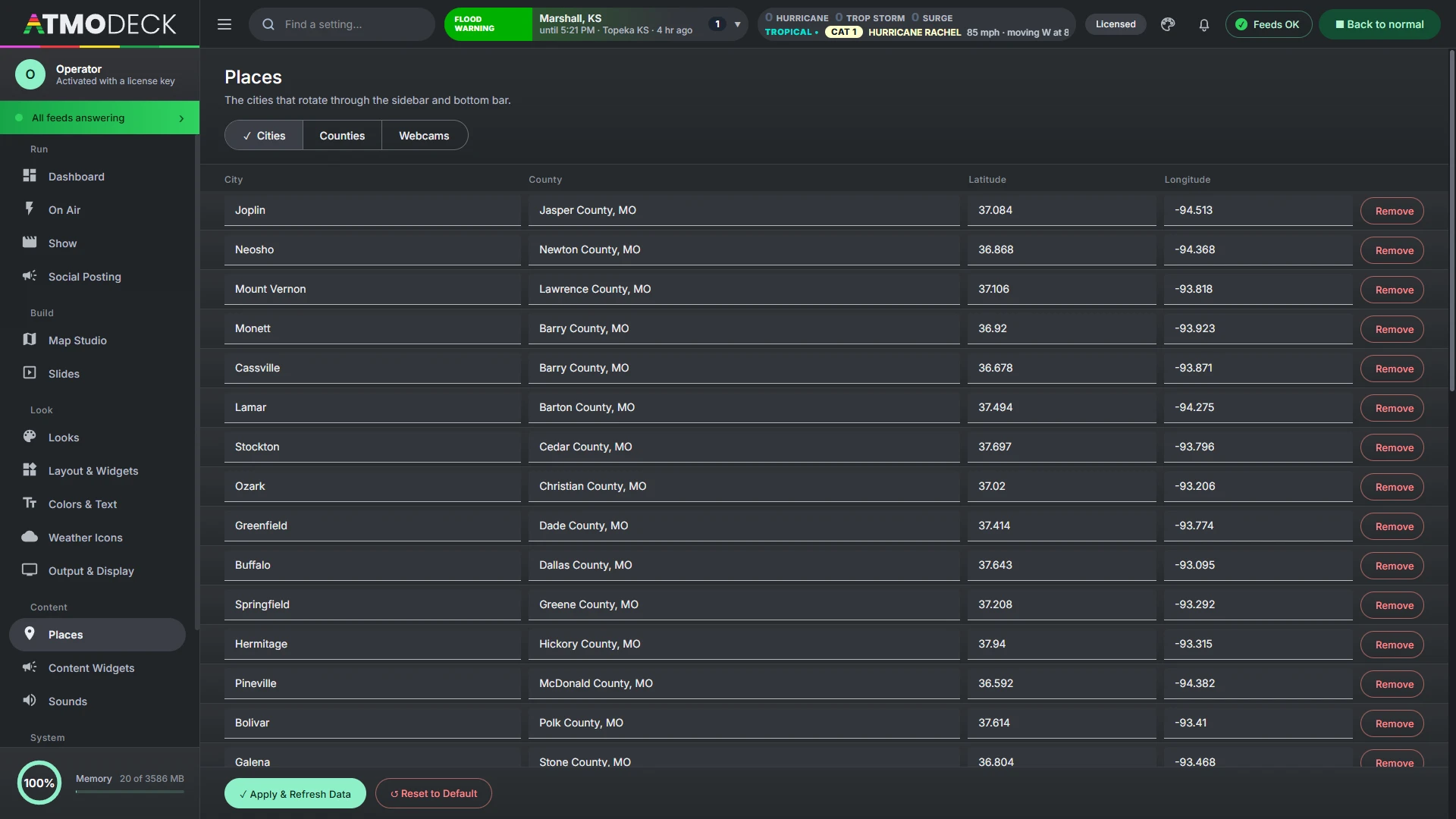
Pick by how many machines you run.
Every broadcast feature is included in Solo, Standard and Pro. The broadcast plans differ in the number of machines you can activate, and Standard and Pro get priority email support and the option to remove the Powered by AtmoDeck badge.
Solo
$19 a month · 1 machine
One streamer, one chaser laptop, one local weather page, one kiosk screen, or a student station with one computer.
Standard
$49 a month · 3 machines
A small station running the output, the console and a backup, or a chase team with a few laptops.
Pro
$89 a month · 6 machines
Multi-market groups, several vehicles or studios, and redundant setups.
Need something different? Email us and we will work it out.
What AtmoDeck is, and is not.
- It is a broadcast graphics suite with a built-in radar studio. The radar draws public NOAA data for presentation. It is not a substitute for a warning-decision tool, and you can still run whatever radar app you already trust alongside it
- It is not an official warning system. It shows National Weather Service and Environment Canada alerts and data with the graphics around them. It does not replace the Emergency Alert System or your official channels
- It is built for the United States and Canada. Alerts, counties and storm reports come from the National Weather Service in the US, and Environment Canada in Canada
- It runs on Windows, on your own hardware, and your settings stay on your machine
Not sure it fits you?
Start a 7-day free trial with the tools included in your selected plan, or tell us what you are building and we will tell you honestly whether AtmoDeck is a good fit.